Add the field you need. Today.
In most association systems, a new question on a membership form or an event registration means a change request, a developer and an invoice. In AssociationServer, your staff add it themselves, the same day.
Both are built in.
AssociationServer supports custom forms and custom fields. Build a new form when you start something new. Add a field when an existing form, workflow or record needs one more detail.
A new form for a new purpose.
Build a complete form in Form Studio when you start something new: an application, a nomination, a survey.
- Bilingual, and works on a phone
- Can take payment inline
- Can start a workflow when it's submitted
More detail on what you already run.
Add questions to the forms, workflows and records you already have: members, events, tickets.
- Fit into existing forms and checkouts
- Can be mapped to the record, so answers stay with the member or event
- Mapped fields show what's already on file next time
The rest of this page covers custom fields.
A change request and an invoice, or the same day.
The usual way
- 1Write up a change request.
- 2Wait for a developer or certified partner.
- 3Approve a quote.
- 4Wait for it to be deployed.
- 5Pay the invoice.
The AssociationServer way
- 1Open Form Studio, or the record itself.
- 2Add the field and set its rules.
- 3Check it in a draft that members can't see.
- 4Publish. It's live the same day.
Ask the right people the right questions.
Every record of a type
Extra details on every member, or on every event. Add them once and they appear everywhere that record does.
One category only
Fields that appear only for Professional members, or only for virtual (Zoom) events. When a member changes category, the right fields appear automatically.
One event or ticket
Checkout questions such as "Dietary restrictions" or "T-shirt size", asked only for that event or ticket. Ticket buyers answer the event's questions and the ticket's own.
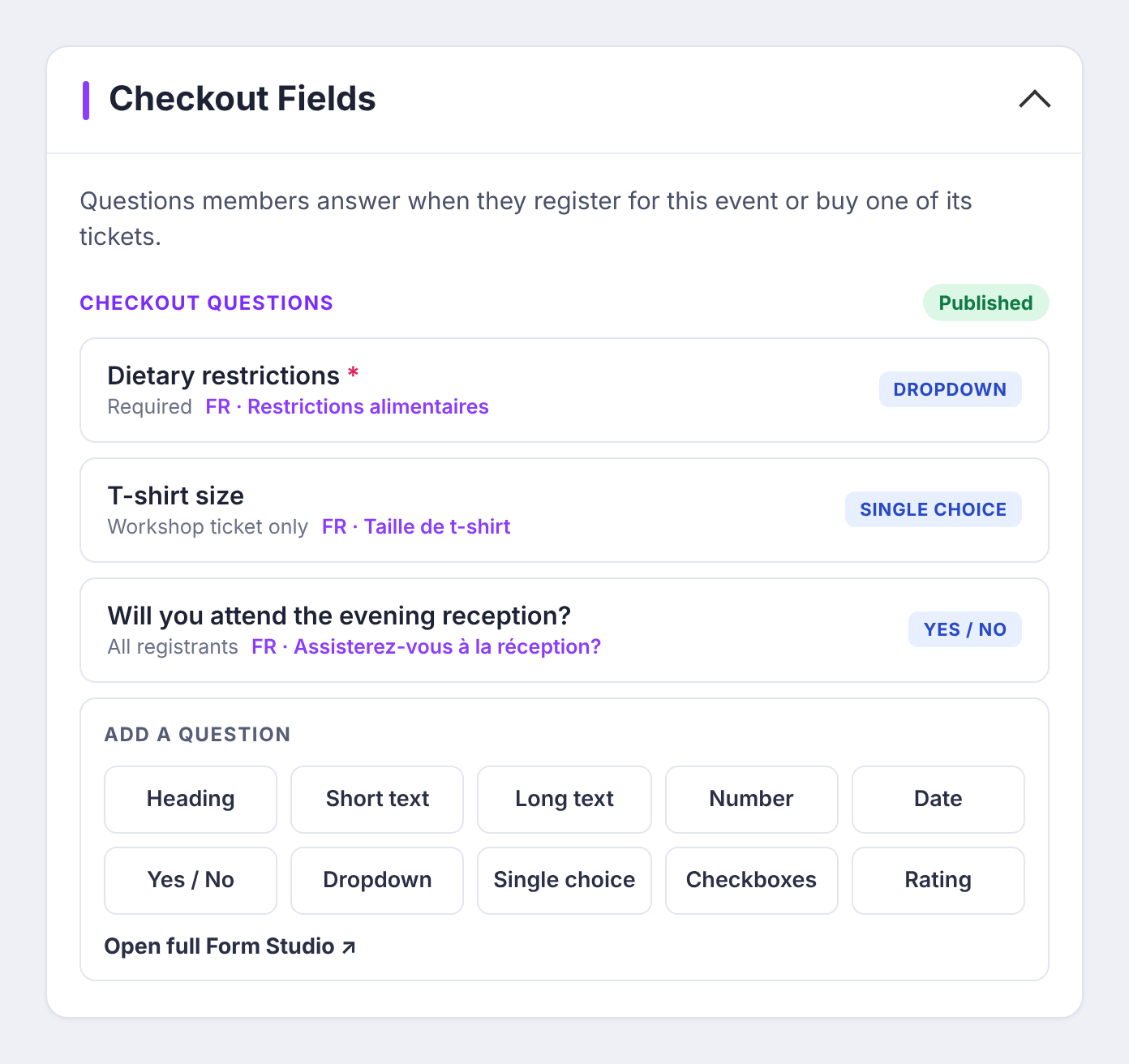
Every common question type, ready to use.
Short and long text, email, number, date and time
Yes/no, dropdowns (including "Other, please specify" and multi-select), radio, checkbox and button groups
Ratings and grades
Rich text, instruction blocks and headings
File upload
Choices typed in directly, or drawn from lists AssociationServer already keeps, such as provinces and categories
Rules on every field: required, read-only or hidden, with help text, a placeholder and sub-text under the question.
English and French, from the same field.
Each field can carry a full French version: the question, sub-text, help, placeholder and error message. French-speaking members see French; everyone else sees English.
One field, two languages. Illustration.
Change it without breaking anything.
Draft, then publish
Rearrange, reword and add fields in a draft. Members see nothing until you publish, and a draft can be discarded in one click.
Answers stay put
Rewording or reordering a field never breaks or loses the answers members have already given.
Every version kept
Each published version of a field set is kept on record.
On the record, and in front of members.
- On the staff record page, beside the record's standard details, editable in place.
- In the forms and online checkouts that use them, including event registration.
Ready to see it on your own process?
New workflows in days, not months. Tell us what you run today and we'll give you a ballpark at no charge.